Journal
29 September 2026
Reading Time: 3'

An update from ERSTE Foundation Library
We are delighted to present our new Library Management System: ALMA. We have also migrated our data into the Austrian Library Network Consortium Catalogues System and implemented a new discovery service called PRIMO.
What does this mean for you? Our catalogue has a modern and intuitive user interface, which also offers new features such as index search, links to citation management programmes, recommendations for similar resources and the ability to create watchlists.
If you’re accessing our new catalogue for the first time, please follow these steps:
Access the ERSTE Foundation Library’s new discovery service at https://catalogue.erstestiftung.org/
To the catalogueTo make full use of all the new features in the Discovery System, you must log in. To do this, please reset your password the first time you log in. This is very easy to do during the login process.
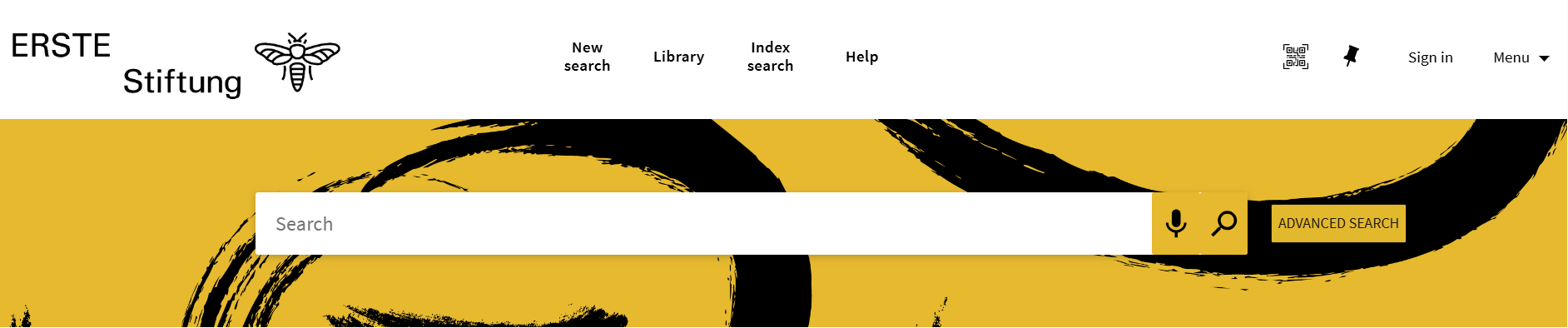
For the first sign-in, please click »Sign in« in the top right corner of the menu.
Then first click »Need help?« and then »Click here to reset password«.
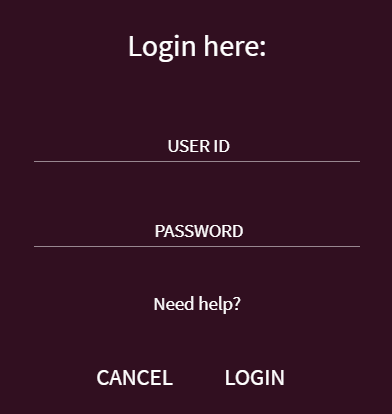
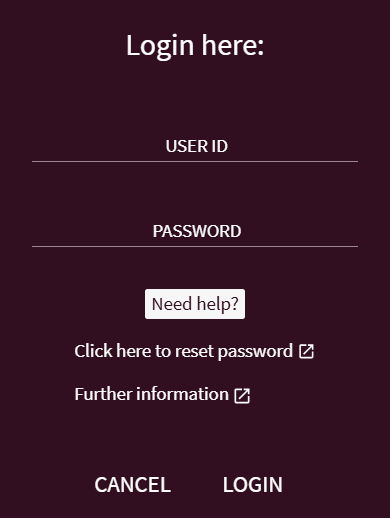
You can find your User-ID on your library card or use your e-mail address.
Please follow the instructions to get a new password. This needs to be done once because it is a completely new system.
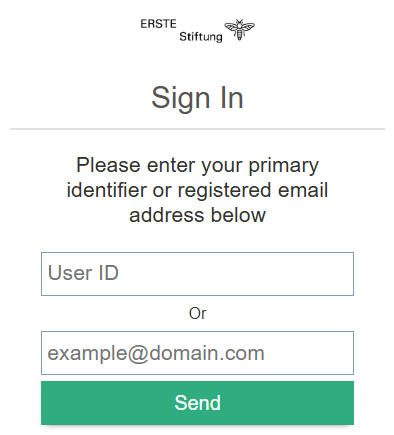
From then on you may log-in using your User-ID and new password.
If there are any issues with your password reset, please send us an e-mail to library@erstestiftung.org and we’ll be happy to support.
With the log-in, you may extend borrowed media, reserve new resources and access other features of the new system.
Scan the QR code to access the catalogue and share your results on mobile.
You can use the pin to save your favourites and results.
Within the menu, you can
- switch between German and English
- sign in to your account
- use RefWorks to create a reference list of your results
- review your search history
»New search« allows you to start a new search. Clicking on »Library« takes you from the catalogue to the ERSTE Foundation Library website. With »Index search« you can search for a certain search term. »Help« gives you a lot more information for research, your account, orders, reservations or more. It’s essentially the detailed version of our summary here.
Of course there is THE central search box to search and view the results in our new discovery system. On the left-hand side you can narrow your search if needed.
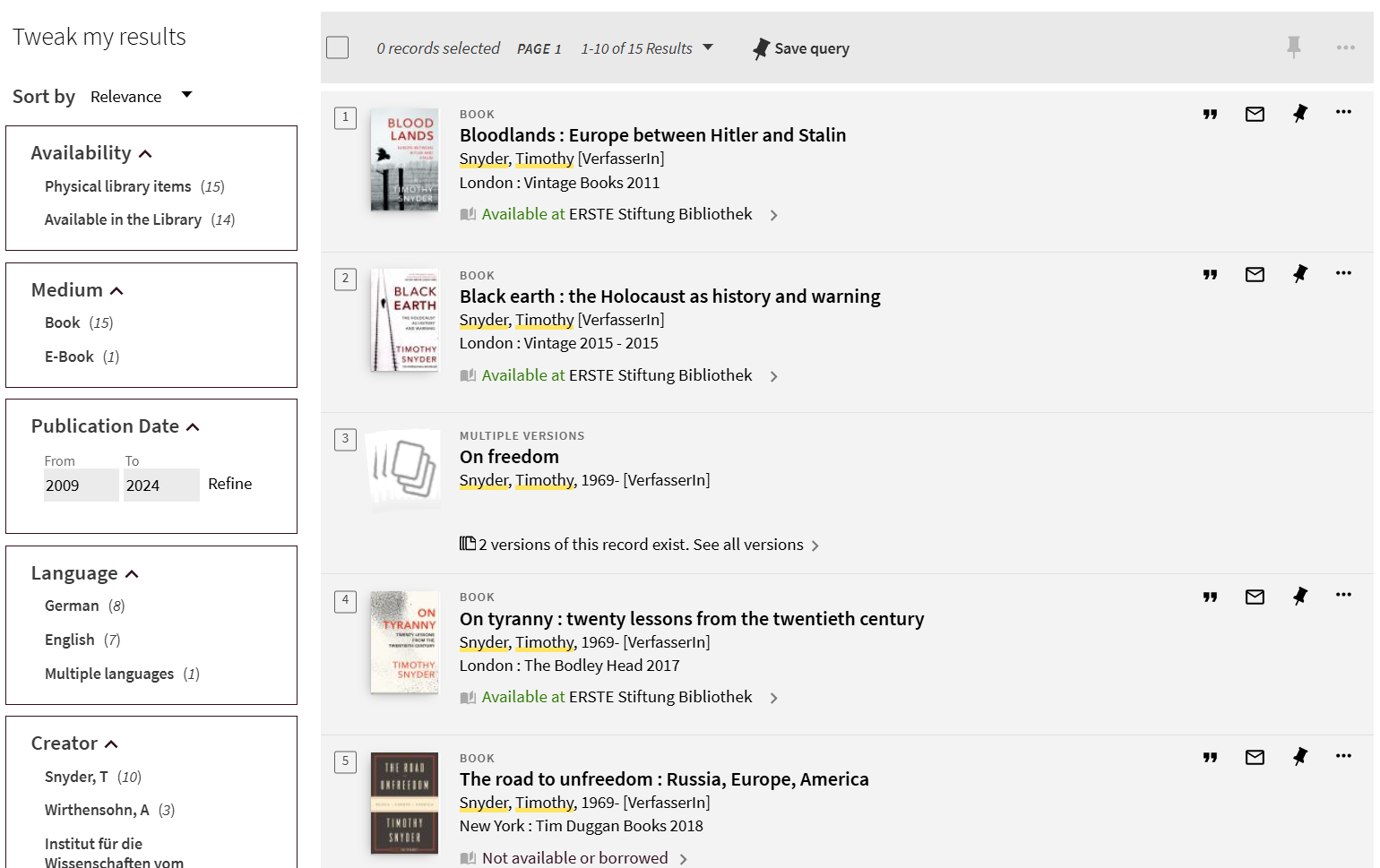
On the page displaying your individual result, you’ll find further new features. Under »Request Options« you can view the location of a resource on the shelf and find out whether it is available.
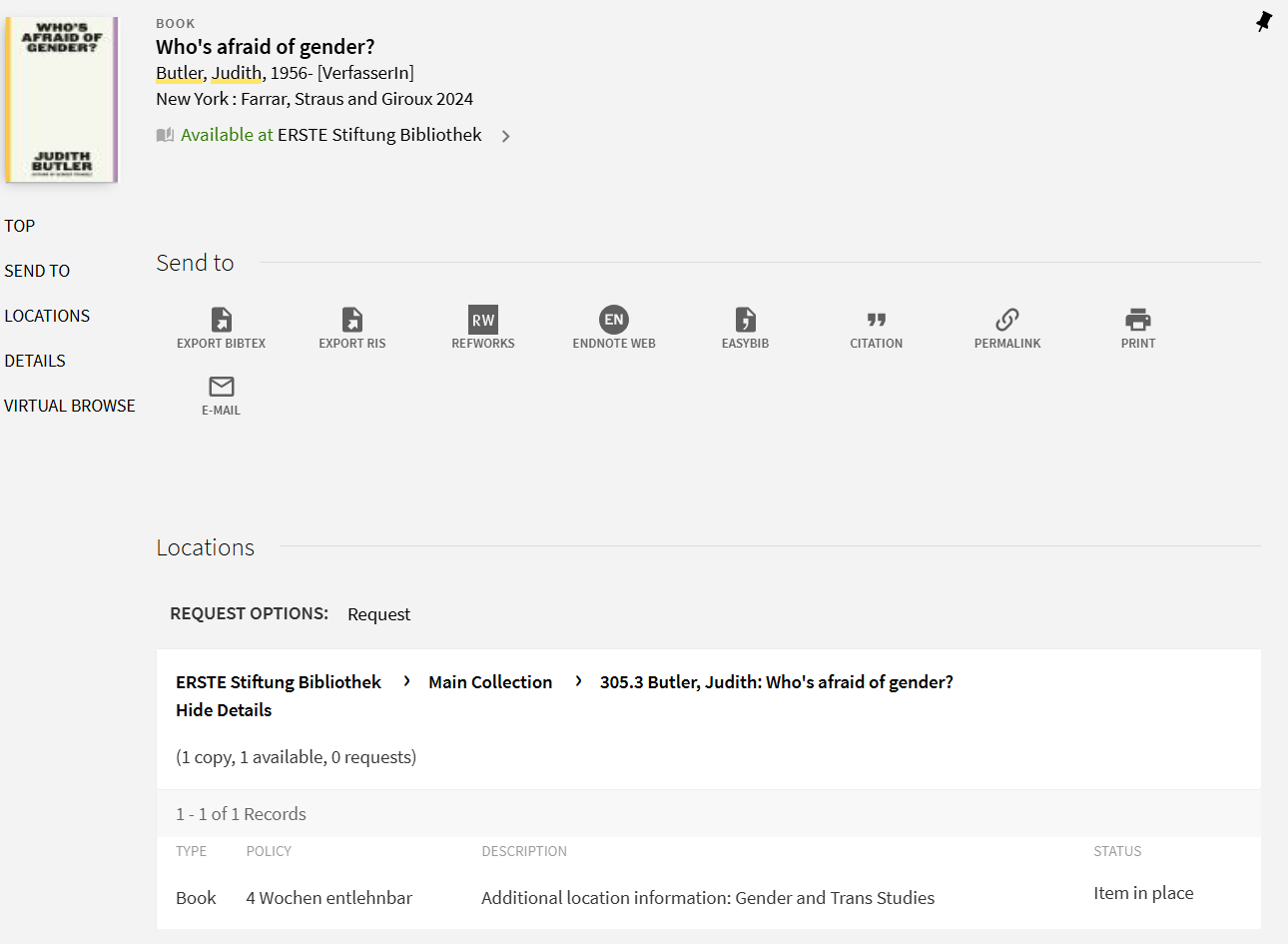
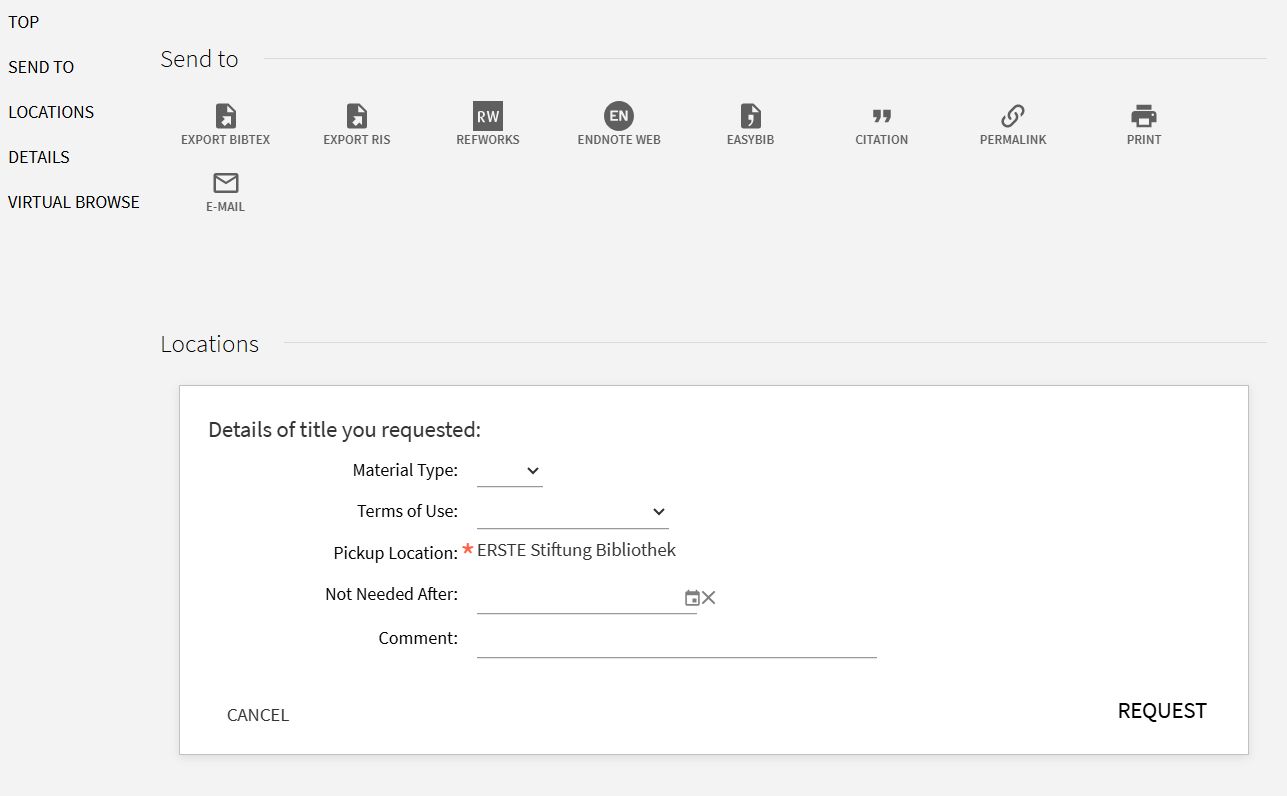
Here you can reserve the resource or put in an order for it – simply by clicking on »Request« next to »Request Options«.
Directly below the bibliographic details for the resource you have found, you will find further recommendations for similar resources that match your search term. Best take a look for yourself now! Enjoy – please proceed to our discovery system:
To the catalogue